Subscribe to this channel: https://bit.ly/3VFqR86
Website: https://bit.ly/3VPUnrJ
__
__
Social Media
Instagram: https://bit.ly/3J8l6Io
Personal Instagram: https://bit.ly/3TMWZnD
Pinterest: https://bit.ly/43LlPc1
Houzz: https://bit.ly/3xm04DE
__
__
What’s in my Bag? Check out my KIT!!
https://bit.ly/3PQtFeC
Camera – https://bit.ly/3POwEEH
Tech – https://bit.ly/43I2hFH
Drawing Tools – https://bit.ly/4aE5YOM
Transcript
__
__
Designing with Nature: A Thoughtful Approach to Site Development
When embarking on a new architectural project, the initial focus must always be on the site itself—the natural surroundings, existing conditions, and how these elements can influence and enhance the design. This article delves into the careful considerations taken by a design team as they begin a new project in Muskoka, highlighting the importance of working with, rather than against, the environment.

Starting with the Site: Understanding Natural Surroundings
The design process begins by thoroughly assessing the site. The location in question features a mix of natural beauty and logistical challenges. For instance, the site offers sweeping views across a body of water, which are crucial to capitalize on in the final design. Additionally, the surrounding Crown Land and existing topographical features, such as a large rock in the water, must be taken into account.

Balancing Views with Zoning Regulations
One of the primary goals in this project is to maximize the property’s views. The design team is keen on orienting the building to provide a direct line of sight to the water while also considering additional views within the property itself. However, these aesthetic goals must be balanced with practical considerations, including zoning regulations. For example, the project permits the construction of a two-story Boathouse with an upstairs living space. The design also incorporates a secondary access road to enhance privacy and accessibility.

Addressing Safety Concerns Through Design
A unique challenge presented by the site is the presence of a large rock within the water, which poses potential safety risks. Instead of viewing this as an obstacle, the design team creatively integrates the rock into the Boathouse structure. This not only eliminates the safety concern but also seamlessly incorporates a natural feature into the design.

Preserving Natural Vegetation: Enhancing Views Strategically
While maximizing views is a key objective, the design team is equally committed to preserving the natural environment. The plan involves creating visual pockets by selectively trimming branches and maintaining the majority of the existing vegetation. This approach ensures that the site retains its natural beauty while providing the desired views from within the building.

Crafting the Living Space: A Central Hub of Enjoyment
The final design envisions a main living area that serves as the focal point for the property. This space will offer panoramic views and be the central hub for the clients to enjoy the beauty of Muskoka. Additional structures, such as a pod for bedrooms, will be designed to complement this central living space, providing comfort while remaining in harmony with the natural surroundings.

The design team’s approach to this project showcases a thoughtful blend of creativity, practicality, and respect for nature. By starting with the site and its inherent conditions, the design not only meets the client’s needs but also enhances the natural beauty of the property. As the project progresses, the focus will remain on integrating these elements into a cohesive and harmonious design.
more insights

Change the Title Block to Arch D 24×36 — Revit

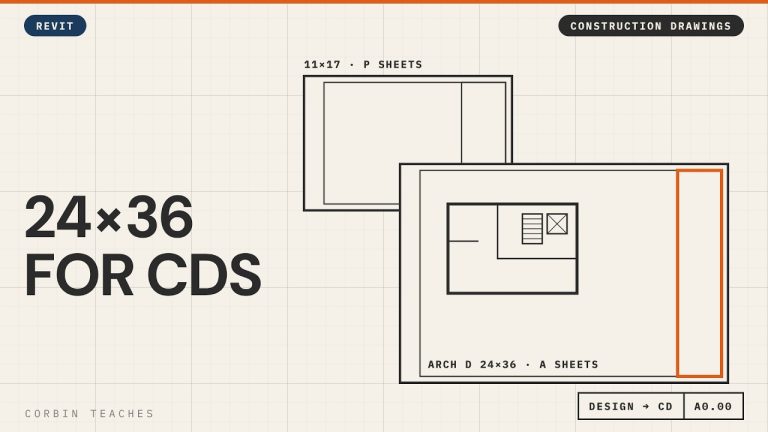
Change a Revit sheet to an Arch D (24×36) title block and keep your design sheets and construction sheets in the same file. I renumber the 11×17 design sheets from A to P with pyRevit, create new A sheets, then load and edit the Autodesk D title block to 24×36 with a 1″ binding margin.

In this video:
• Two sheet sets in one model: P sheets (11×17 design) and A sheets (Arch D construction)
• Renumber sheets in bulk with pyRevit’s ReValue tool
• New sheet A0 Cover Page
• Load the D 22×34 title block from the Autodesk library and resize it to 24×36
• Margins: 1/2″ all round, 1″ on the binding edge
• Remove the Autodesk logo and consultant boxes, keep the revision schedule
• Save it to your own family library and swap the title block on the sheet

⏱ CHAPTERS
00:00 Design sheets vs construction sheets
00:35 Renumber the design sheets to P
01:07 Bulk renumber with pyRevit ReValue
01:45 New A sheet for the cover page
02:18 Load the Arch D title block
03:12 Resize the title block to 24×36
04:02 Margins and the binding edge
04:34 Remove the logo and consultant boxes
04:51 Save it and swap it on the sheet

▶ DESIGN TO CONSTRUCTION DRAWINGS
Part 2, design, CD and working views: https://youtu.be/g4AHt1J606k
Part 3, revision clouds and issues: https://youtu.be/Y9e53z65nV0

#Revit #RevitTutorial #BIM

━━━━━━━━━━━━━━━━━━━━━━
🔗 FREE & PAID RESOURCES
━━━━━━━━━━━━━━━━━━━━━━
📁 Notion Business OS for Architects (my most popular template):
https://cpd.gumroad.com/l/civaw?utm_source=youtube&utm_medium=description

📁 Free Notion Issue Tracker for Architects:
https://cpd.gumroad.com/l/cjlls?ref=yt-arch-d-title-block

🌐 More Revit tutorials: https://corbinteaches.com

━━━━━━━━━━━━━━━━━━━━━━
CONNECT
━━━━━━━━━━━━━━━━━━━━━━
Subscribe: https://bit.ly/3VFqR86
Instagram: https://bit.ly/3J8l6Io
Architecture work: https://bit.ly/3VPUnrJ

Read more >

Add Revision Clouds and Issue Sheets for Permit — Revit

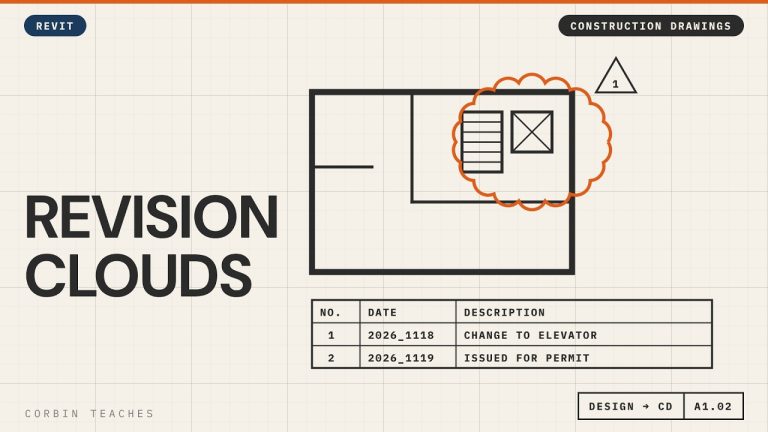
Add revision clouds in Revit, make them red, and issue a set for permit without clouding every view. I place a cloud from the Annotate tab, set up the revision in View › Revisions, change the cloud and tag colour in Object Styles, then add an “Issued for Permit” revision to every sheet at once.

In this video:
• When to start using revisions (after design approval)
• Annotate › Revision Cloud, and where it shows up on the title block
• View › Revisions: date, description, Cloud and Tag vs Tag Only, Issued
• Why Issued locks the cloud
• Make clouds and revision tags red: Manage › Object Styles › Annotation Objects (not Line Styles)
• A revision with no cloud: Issued for Permit
• Add it to many sheets at once: select sheets › Revisions on Sheet

⏱ CHAPTERS
00:00 Why use revision schedules
00:56 Draw a revision cloud
01:27 Set up the revision in View › Revisions
02:13 Issued locks the revision
02:30 Make revision clouds red
03:38 Issue a set without clouds
04:23 Add the issue to many sheets at once
05:30 Cloud plus issue on the title block

▶ DESIGN TO CONSTRUCTION DRAWINGS
Part 1, Arch D title block: https://youtu.be/kI_12LX83co
Part 2, design, CD and working views: https://youtu.be/g4AHt1J606k

#Revit #RevitTutorial #BIM

━━━━━━━━━━━━━━━━━━━━━━
🔗 FREE & PAID RESOURCES
━━━━━━━━━━━━━━━━━━━━━━
📁 Notion Business OS for Architects (my most popular template):
https://cpd.gumroad.com/l/civaw?utm_source=youtube&utm_medium=description

📁 Free Notion Issue Tracker for Architects:
https://cpd.gumroad.com/l/cjlls?ref=yt-revision-clouds-issue

🌐 More Revit tutorials: https://corbinteaches.com

━━━━━━━━━━━━━━━━━━━━━━
CONNECT
━━━━━━━━━━━━━━━━━━━━━━
Subscribe: https://bit.ly/3VFqR86
Instagram: https://bit.ly/3J8l6Io
Architecture work: https://bit.ly/3VPUnrJ

Read more >

Model a Sloped Site from a PDF Survey — Revit

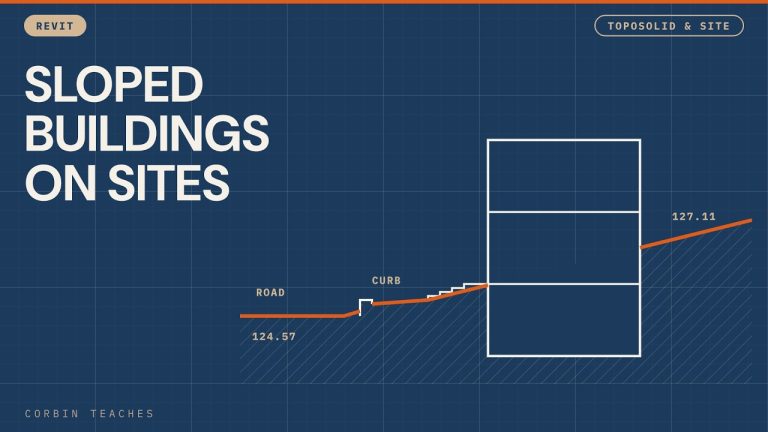
Model a sloped urban site in Revit, starting from a PDF survey. I import and scale the PDF, build a toposolid from the survey spot elevations (about 2.5 m of fall across the lot), drop the site to a working level with the survey point, then add the road, sidewalk, a custom curb and stairs that meet the grade.

In this video:
• Import the PDF at 300 DPI and scale it with a 10 m dimension (metric survey in an Imperial project)
• Toposolid past the property line so you have context for renderings
• Add Point with Absolute elevations, and switching units to metres while you click points
• Move the survey point and offset the toposolid so the site sits near Level 1
• Let Revit do the math: type =128.4-126.5 in an elevation field
• Quick property lines (and why you should use bearings and distances)
• Sub-divide the road and set it to asphalt, raised slightly above grade
• Sidewalk as a floor with Pick Lines, then shape it to the slope with Modify Sub Elements
• Edit the Thickened Slab Edge profile into a curb with a reveal and rounded edges
• Stairs from the sidewalk up to the floor, with one extra riser so the top tread meets the slab
• A floor as a transition piece between the sidewalk and the stairs
• Environment for Revit: shape a floor to the toposolid

⏱ CHAPTERS
00:00 A site with a 2.5 m grade change
00:39 Import the PDF survey
01:02 Scale the PDF
02:35 Toposolid past the property line
03:19 Add points at absolute elevations
06:10 Bring the site down with the survey point
09:19 Let Revit do the math
10:12 Sketch the property lines
11:12 Sub-divide the road as asphalt
13:42 Sidewalk as a floor
18:08 5″ concrete sidewalk type
19:11 Shape the sidewalk to the grade
21:33 Slab Edge for the curb
22:16 Draw the curb profile
25:27 Load the curb and set the type
28:17 Building set into the slope
29:01 Stairs from grade to the floor
31:01 Transition floor at the stairs
33:45 Environment for Revit: floor to topo

▶ MORE TOPOSOLID & SITE
Sidewalk curb with a custom slab edge: https://youtu.be/lxnMa_H3UMY
Create toposolids and sloping terrain: https://youtu.be/QDorK4ib9vs
Sloped topography and stone steps: https://youtu.be/NbaSLRGHhJw
Property lines and site plan: https://youtu.be/sauTm8wf3Eo
Point cloud to toposolid (Environment plugin): https://youtu.be/Npw_hHhZVYU

#Revit #RevitTutorial #BIM

━━━━━━━━━━━━━━━━━━━━━━
🔗 FREE & PAID RESOURCES
━━━━━━━━━━━━━━━━━━━━━━
📁 Notion Business OS for Architects (my most popular template):
https://cpd.gumroad.com/l/civaw?utm_source=youtube&utm_medium=description

📁 Free Notion Issue Tracker for Architects:
https://cpd.gumroad.com/l/cjlls?ref=yt-sloped-site-pdf-survey

🌐 More Revit tutorials: https://corbinteaches.com

━━━━━━━━━━━━━━━━━━━━━━
CONNECT
━━━━━━━━━━━━━━━━━━━━━━
Subscribe: https://bit.ly/3VFqR86
Instagram: https://bit.ly/3J8l6Io
Architecture work: https://bit.ly/3VPUnrJ

Read more >