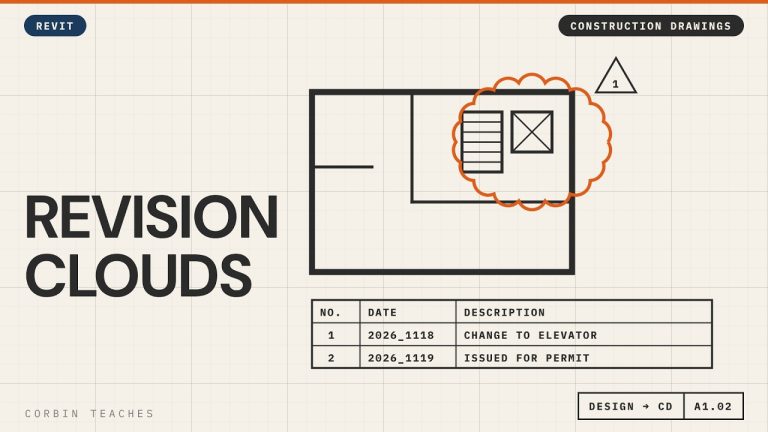
Add revision clouds in Revit, make them red, and issue a set for permit without clouding every view. I place a cloud from the Annotate tab, set up the revision in View › Revisions, change the cloud and tag colour in Object Styles, then add an “Issued for Permit” revision to every sheet at once.
In this video:
• When to start using revisions (after design approval)
• Annotate › Revision Cloud, and where it shows up on the title block
• View › Revisions: date, description, Cloud and Tag vs Tag Only, Issued
• Why Issued locks the cloud
• Make clouds and revision tags red: Manage › Object Styles › Annotation Objects (not Line Styles)
• A revision with no cloud: Issued for Permit
• Add it to many sheets at once: select sheets › Revisions on Sheet
⏱ CHAPTERS
00:00 Why use revision schedules
00:56 Draw a revision cloud
01:27 Set up the revision in View › Revisions
02:13 Issued locks the revision
02:30 Make revision clouds red
03:38 Issue a set without clouds
04:23 Add the issue to many sheets at once
05:30 Cloud plus issue on the title block
▶ DESIGN TO CONSTRUCTION DRAWINGS
Part 1, Arch D title block: https://youtu.be/kI_12LX83co
Part 2, design, CD and working views: https://youtu.be/g4AHt1J606k
#Revit #RevitTutorial #BIM
━━━━━━━━━━━━━━━━━━━━━━
🔗 FREE & PAID RESOURCES
━━━━━━━━━━━━━━━━━━━━━━
📁 Notion Business OS for Architects (my most popular template):
https://cpd.gumroad.com/l/civaw?utm_source=youtube&utm_medium=description
📁 Free Notion Issue Tracker for Architects:
https://cpd.gumroad.com/l/cjlls?ref=yt-revision-clouds-issue
🌐 More Revit tutorials: https://corbinteaches.com
━━━━━━━━━━━━━━━━━━━━━━
CONNECT
━━━━━━━━━━━━━━━━━━━━━━
Subscribe: https://bit.ly/3VFqR86
Instagram: https://bit.ly/3J8l6Io
Architecture work: https://bit.ly/3VPUnrJ