Create a clean concrete fill pattern with background and foreground for your foundation sill details in Revit drafting views. Learn how to set up an 8″ poured concrete wall using filled regions for better visual definition in construction drawings.
━━━━━━━━━━━━━━━━━━━━━━
🔗 RESOURCES
━━━━━━━━━━━━━━━━━━━━━━
📐 Notion Business OS for Architects (free + paid templates): https://cpd.gumroad.com/l/civaw?utm_source=youtube&utm_medium=description
🌐 More tutorials: https://corbinteaches.com
━━━━━━━━━━━━━━━━━━━━━━
CHAPTERS
━━━━━━━━━━━━━━━━━━━━━━
0:00 Intro to Foundation Sill Drafting View
0:25 Set Up Filled Region for Concrete Wall
1:20 Edit Type and Add Background/Foreground Patterns
2:25 Final Setup and Reference Planes
━━━━━━━━━━━━━━━━━━━━━━
CONNECT
━━━━━━━━━━━━━━━━━━━━━━
Subscribe: https://bit.ly/3VFqR86
Instagram: https://bit.ly/3J8l6Io
Add Revision Clouds and Issue Sheets for Permit — Revit
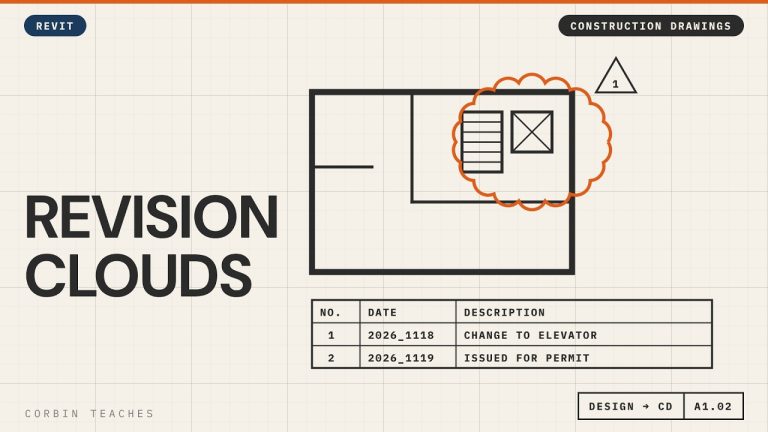
Add revision clouds in Revit, make them red, and issue a set for permit without clouding every view. I place a cloud from the Annotate tab, set up the revision in View › Revisions, change the cloud and tag colour in Object Styles, then add an “Issued for Permit” revision to every sheet at once.
In this video:
• When to start using revisions (after design approval)
• Annotate › Revision Cloud, and where it shows up on the title block
• View › Revisions: date, description, Cloud and Tag vs Tag Only, Issued
• Why Issued locks the cloud
• Make clouds and revision tags red: Manage › Object Styles › Annotation Objects (not Line Styles)
• A revision with no cloud: Issued for Permit
• Add it to many sheets at once: select sheets › Revisions on Sheet
⏱ CHAPTERS
00:00 Why use revision schedules
00:56 Draw a revision cloud
01:27 Set up the revision in View › Revisions
02:13 Issued locks the revision
02:30 Make revision clouds red
03:38 Issue a set without clouds
04:23 Add the issue to many sheets at once
05:30 Cloud plus issue on the title block
▶ DESIGN TO CONSTRUCTION DRAWINGS
Part 1, Arch D title block: https://youtu.be/kI_12LX83co
Part 2, design, CD and working views: https://youtu.be/g4AHt1J606k
#Revit #RevitTutorial #BIM
━━━━━━━━━━━━━━━━━━━━━━
🔗 FREE & PAID RESOURCES
━━━━━━━━━━━━━━━━━━━━━━
📁 Notion Business OS for Architects (my most popular template):
https://cpd.gumroad.com/l/civaw?utm_source=youtube&utm_medium=description
📁 Free Notion Issue Tracker for Architects:
https://cpd.gumroad.com/l/cjlls?ref=yt-revision-clouds-issue
🌐 More Revit tutorials: https://corbinteaches.com
━━━━━━━━━━━━━━━━━━━━━━
CONNECT
━━━━━━━━━━━━━━━━━━━━━━
Subscribe: https://bit.ly/3VFqR86
Instagram: https://bit.ly/3J8l6Io
Architecture work: https://bit.ly/3VPUnrJ